FAQ

Questions ? Réponses >

Comment puis-je être sûr que RADIUS est le bon logiciel de gestion pour mon entreprise?

Notre engagement à fournir un service adapté à chaque client soutenu par notre garantie succès-projet nous oblige à sélectionner un nombre limité de nouveaux projets de transformation numérique dans un délai donné.

Par conséquent, chaque nouveau projet doit passer par notre processus de pré-qualification simple mais obligatoire, pour s’assurer qu’il conviendra aux deux parties. Il vous suffit de réserver une démo et nous vous guiderons à travers les étapes.

Quand pouvons-nous commencer à mettre en œuvre RADIUS dans notre organisation?

Selon la taille du projet, le temps d’attente est d’environ 4 à 12 semaines, à partir du jour où le projet a été approuvé.

Cela peut sembler long, mais nous ne perdons pas une seconde. Entre-temps, plusieurs étapes et tâches essentielles seront abordées, comme des devoirs de votre côté, des demandes de subventions et de financement si nécessaire, de la planification et bien plus encore.
Combien de temps faut-il avant de remarquer des améliorations dans mon organisation une fois que RADIUS est opérationnel?

Nous pouvons habituellement constater des améliorations notables de l’efficacité dès 2 à 3 semaines après le déploiement. Pour que l’ensemble de l’organisation soit bien formé et utilise au mieux tous les outils et toutes les fonctionnalités, il faudra peut-être 3 à 6 mois, voire plus selon les protagonistes.

Nous utilisons déjà d’autres applications logicielles dans l’entreprise, pouvons-nous les connecter à RADIUS?

La beauté de RADIUS est que vous pouvez remplacer la plupart de vos applications tierces, mais si, pour certaines raisons vous préférez en conserver une ou quelques-unes, notre accès complet à nos routes API permet une connectivité illimitée à la plupart de vos applications logicielles préférées.

Offrez-vous une garantie?

Oui. Lorsque vous vous engagez à utiliser RADIUS pour améliorer votre entreprise, notre promesse est de travailler en étroite collaboration avec vous jusqu’à ce que nous obtenions ce qui sera défini comme un succès dès le début.

Comment fonctionne la tarification?

Contrairement à d’autres logiciels nous ne facturons pas de supplément pour chaque utilisateur de plus. Notre tarification est faite pour que vous n’ayez plus jamais à vous soucier du nombre de personnes qui collaborent sur la plateforme. Vous ne payez que pour les fonctionnalités dont vous avez vraiment besoin. Un léger frais est ajouté en fonction du nombre d’utilisateurs par paliers.

Pour un bref aperçu, vous pouvez consulter notre section sur la tarification, mais n’attendez pas pour obtenir un devis détaillé avec l’aide d’un conseiller.

Y a-t-il des subventions disponibles?

Pour la plupart des sites et des domaines d’activité, il existe de nombreuses subventions disponibles et très généreuses pour encourager la transformation numérique. Prenez rendez-vous gratuitement avec un conseiller dès maintenant pour savoir si et comment votre organisation peut profiter de cette occasion.

Devons-nous utiliser toutes les fonctions et tous les modules?

Non. Vous choisissez, utilisez et payez uniquement les fonctionnalités dont vous avez besoin. L’objectif est de rendre la transition vers de nouveaux outils numériques aussi simple et facile que possible au début, tout en gardant une vision plus large à l’esprit qu’avec un logiciel de gestion qui vous fournira tout ce dont vous avez besoin, vos exigences pourront grandir en même temps que votre organisation.

Vous ne trouvez pas votre réponse ?

Réservez une démo gratuite : un conseiller répond à vos questions et vous guide à travers les étapes.

icon-recruitment

RECRUITMENT

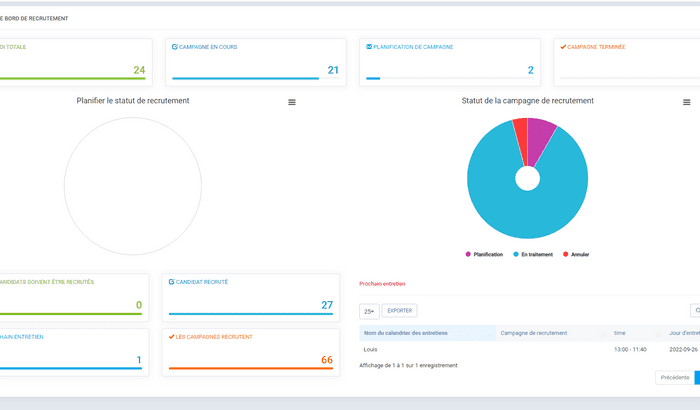
Staff shortage can become a real bottleneck to the growth of your business and it’s never been more relevant to set you up for success when it comes to recruiting and talent acquisition.

With RADIUS’s recruiting module, you’re off to a good start. Thanks to a complete suite of features that will allow you to publish job offers, filter candidates, efficiently follow up and all the way to the on-boarding process.

Features of the Recruiting Suite include :

  • Dashboard
  • Recruitment campaigns
  • Candidate profile
  • Interview schedule
  • Job offer transmission channels
  • Application submission portal
  • Relevant settings and parameters
icon-gestion-collab

SUBCONTRACTORS & COLLABORATORS

If you are working with subcontractors, service suppliers and any type of outside collaborators, it is now possible to fully collaborate with them within RADIUS.

You can share a project on which you would like them to collaborate, assign tasks, give special access and permissions to projects information and attached files.

icon-punch

HUMAN RESOURCES MANAGEMENT

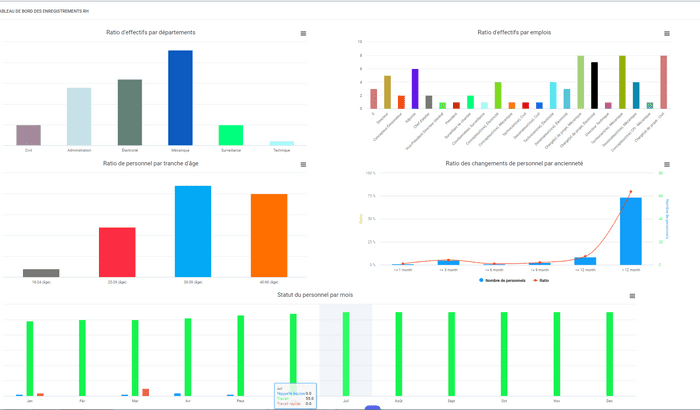
Employees being the most valuable asset of your organization, a proper tool to help you manage HR is a must.

The primary function of the HR module is the central database containing records for all employees past and present. Human resource records refers to the informa­tional documents utilized by an organisation to carry out its functions. The records provide information about the organisation which is maintained in tangible form i.e. written, pictorial, charts etc. Personnel records provide informa­tion about the position of HR in the organi­sation e.g. – records relating to training, per­formance, absenteeism, wages and salary, labour turnover, productivity, morale sur­veys, job satisfaction, social security, em­ployee welfare and more.

Features of the Human Resources suite include :

  • Dashboard
  • Job descriptions
  • The organization chart
  • Employee integration process
  • Employee file
  • Training completed
  • Employment contracts
  • Roles and dependents
  • Endowment (staff movement or lay-off)
  • Frequently asked questions and answers
  • Reports
  • Relevant settings and parameters
icon-punch

TIME SHEET + PUNCH

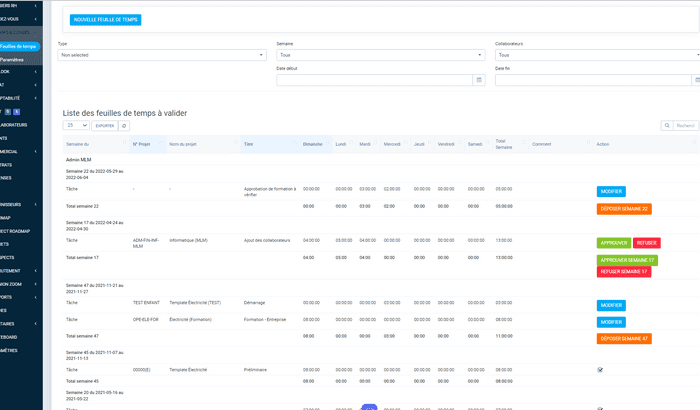
Whether you need to track time of employees on the field, in the office for part time workers, or to simply know precisely the number of billable hours for specific projects, the timesheet and/or the PUNCH functionalities will save precious time and headaches but also help you track where and how time is allocated.

Simplify payroll creation Precisely track how time is allocated per department, project and tasks.

icon-inventory

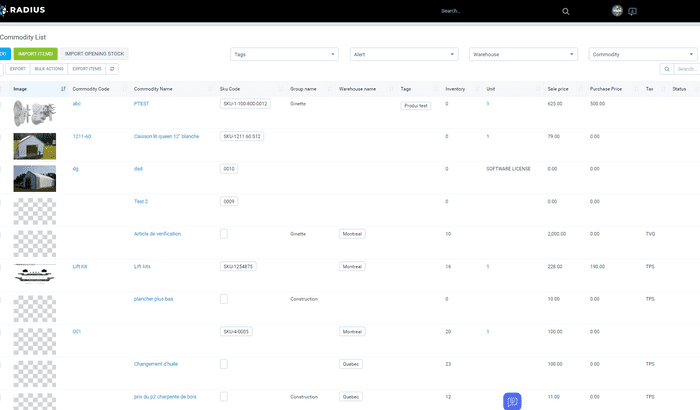
INVENTORY MANAGEMENT

« What », « how much » and « where », are the main questions a proper inventory management system must answer. Of course, Radius does it perfectly, but it also does it in a way that facilitates data entry as well as flexibility to the limit of imagination when it comes to use and visualize the data.
icon-compta

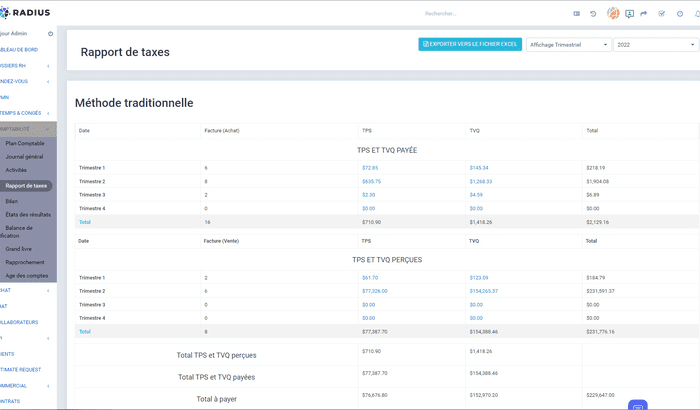
ACCOUNTING

See numbers that matter to you, instantly
It is absolutely vital, in order to make the right decisions for your organization, to be able to see accurate and relevant information about your financials, and it shouldn’t take more time than it takes to ask for it.

With the Radius accounting suite, obtaining a report, a specific data, a bank reconciliation, one of the financial statements or any other accounting action, will only take a few seconds.

The fully integrated system allows you to see and manage everything from your daily expenses to your annual statement, both from a bird eye view, or in a fully exploded detailed version, within a few clicks, from any device, from anywhere.

Safe and flexible accessibility
The accessibility of sensitive information is also fully customizable based on each employee or leadership position and their assigned permissions.

Major data entry time saving
Still today in many organizations, the most costly and time-consuming admin tasks are happening in the accounting department. The use of paper, multiple manual data entries and the inability of most accounting software applications to « talk » to each-other, are the main reasons why so much of the valuable employee’s time is lost.

One data input, infinite use
By it’s nature, Radius seamlessly integrates all departments and digital tools, allowing full connectivity and instant spread of the data which is entered a single time and then being pushed everywhere it is required to be used including, of course, in the accounting department.

Some of Radius’s accounting suite features :

  • Chart of accounts
  • General accounting Journal
  • Activity report
  • Tax report
  • Balance sheet
  • Income statements
  • Trial balance
  • Ledger
  • Accounting reconciliation

Want to see it in action ?

icon-crm

CRM (Customer Relationship and sales Management)

It always starts with the customer. That’s why RADIUS’s foundation is based on a powerful but yet simple CRM (Customer Relationship Manager).

You can use the CRM as a way to simply gather all the information about your clients and have the system to re-use the information throughout your entire workflow including sending quotes, invoicing, credit notes and creating projects directly from customer’s profile, and much more.

You can push the functionalities a little further by following up tight on each sale opportunity through an efficient sales process, segmenting your clients in different categories, ajust communications by client groups, automate follow-up tasks, and making predictions on your sales.

You can make the most out of the CRM capabilities by generating more leads coming from multiple channels, predict revenue of your sales teams, book appointments with clients, monitor sales-related key performance indicators (KPIs) from anywhere you are and much, much more.

icon-project-management

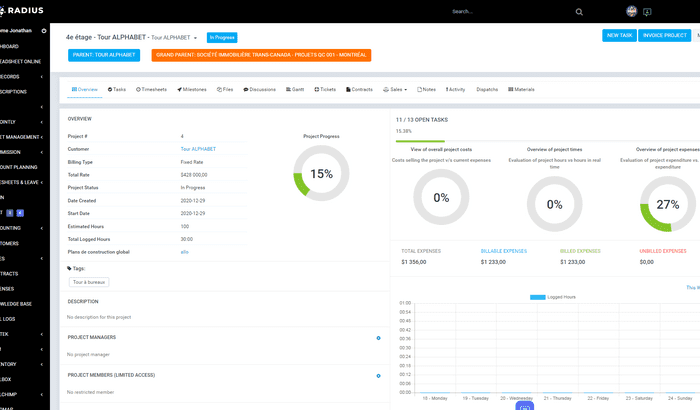
PROJECT MANAGEMENT

Free up your mind and see clearly where you’re at on every project, task and profits in real time.
Structure, share documents, followup with your teams and allow every person involved in the project to have their own permissions of actions in the project.

Assign tasks, follow up closely, share and annotate documents and files, collaborate and much more, all at the same place.

  • Kanban view by status
  • Gantt charts
  • Milestones
  • Detailed performance metrics
  • File Sharing
  • Tickets
  • Time sheets
  • Billable hours
  • Notes
  • In-project discussion
  • Activity log
dashboard

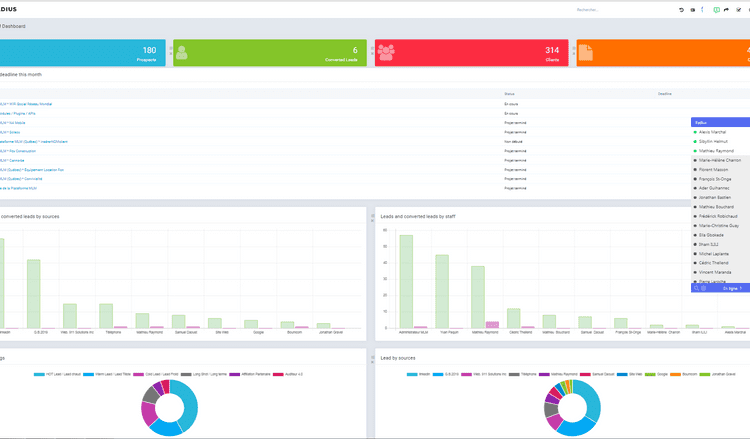
VISUAL DASHBOARD

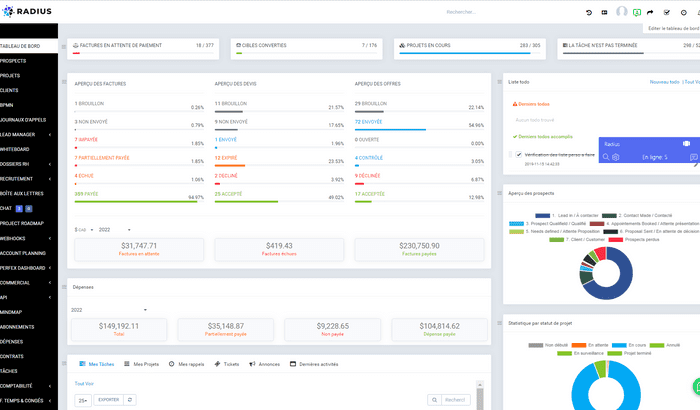
Your visual dashboard is an instant sneak peek of everything you need to see at a glance.
Each employee gets to choose it’s own layout and the drag and drop functionality makes it truly easy to setup in a matter of seconds.

dashboard

VISUAL DASHBOARD

Your dashboard is an instant overview of everything you need to see at a glance. Each employee can choose their own layout and the drag and drop functionality makes it really easy to set up in seconds.